Diagrams
Enclosed are the hierarchically structured images of the Stock Move diagrams.
The Logistics Workflow Diagrams folder contains all the detailed workflows, including descriptions of the individual tasks. The diagrams are structured hierarchically according to the Workflow Processes Sheet. A sub-process in a diagram refers to another diagram (called a sub-process) with the detailed workflow of that sub-process.
0. Process Model
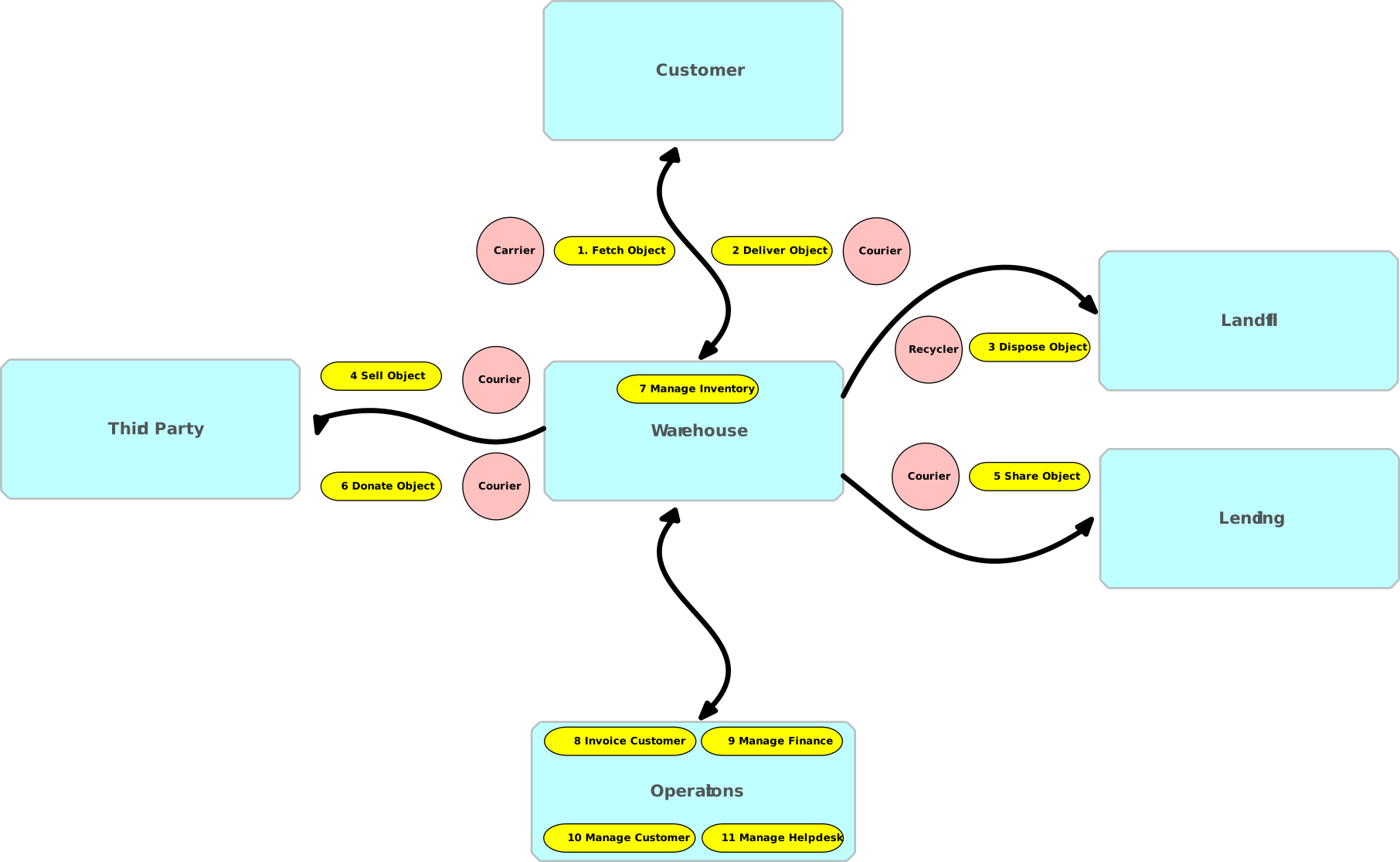
The Process Model shows all the main processes.
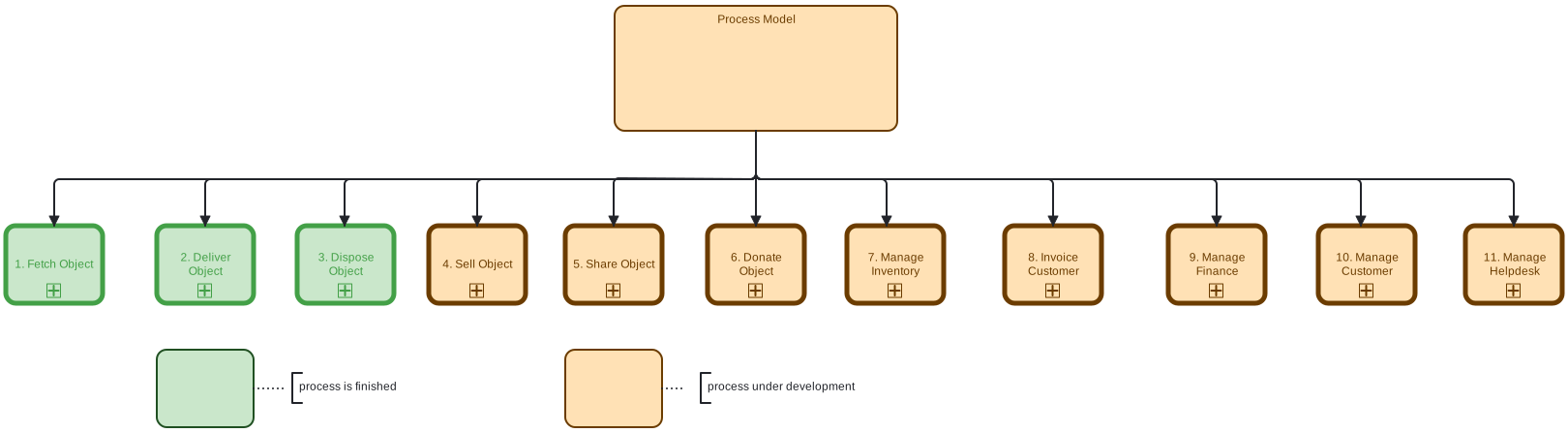
Figure: 0. Process Model
1. Fetch Object
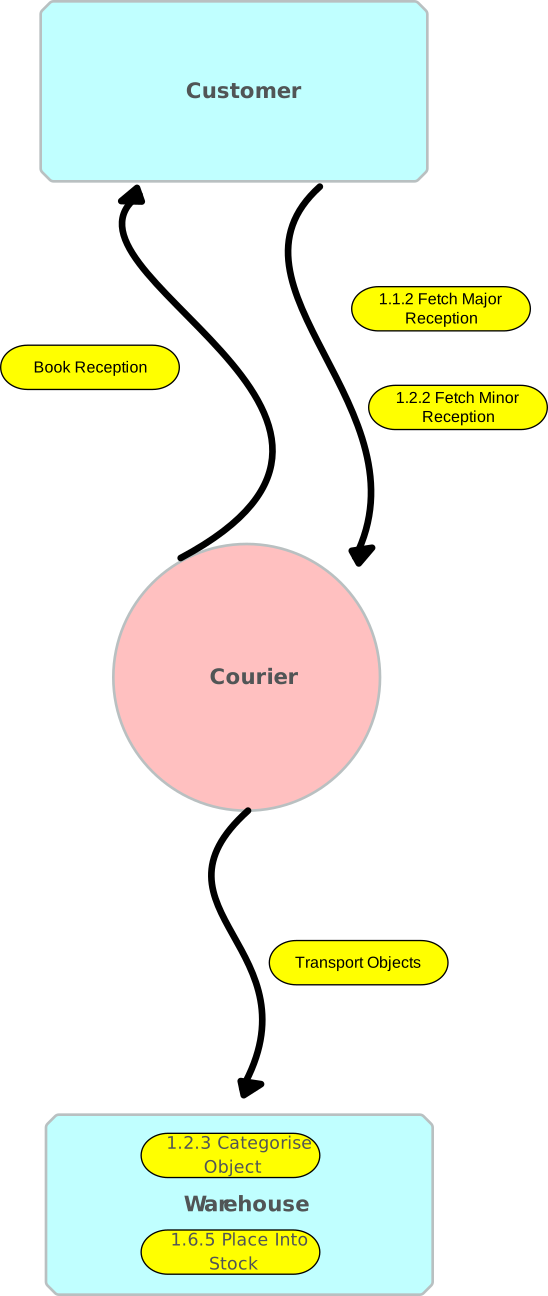
Customer orders his receiption. Depending on the volume and weight of the objects to be picked up, it is either a major receiption or a minor receiption.
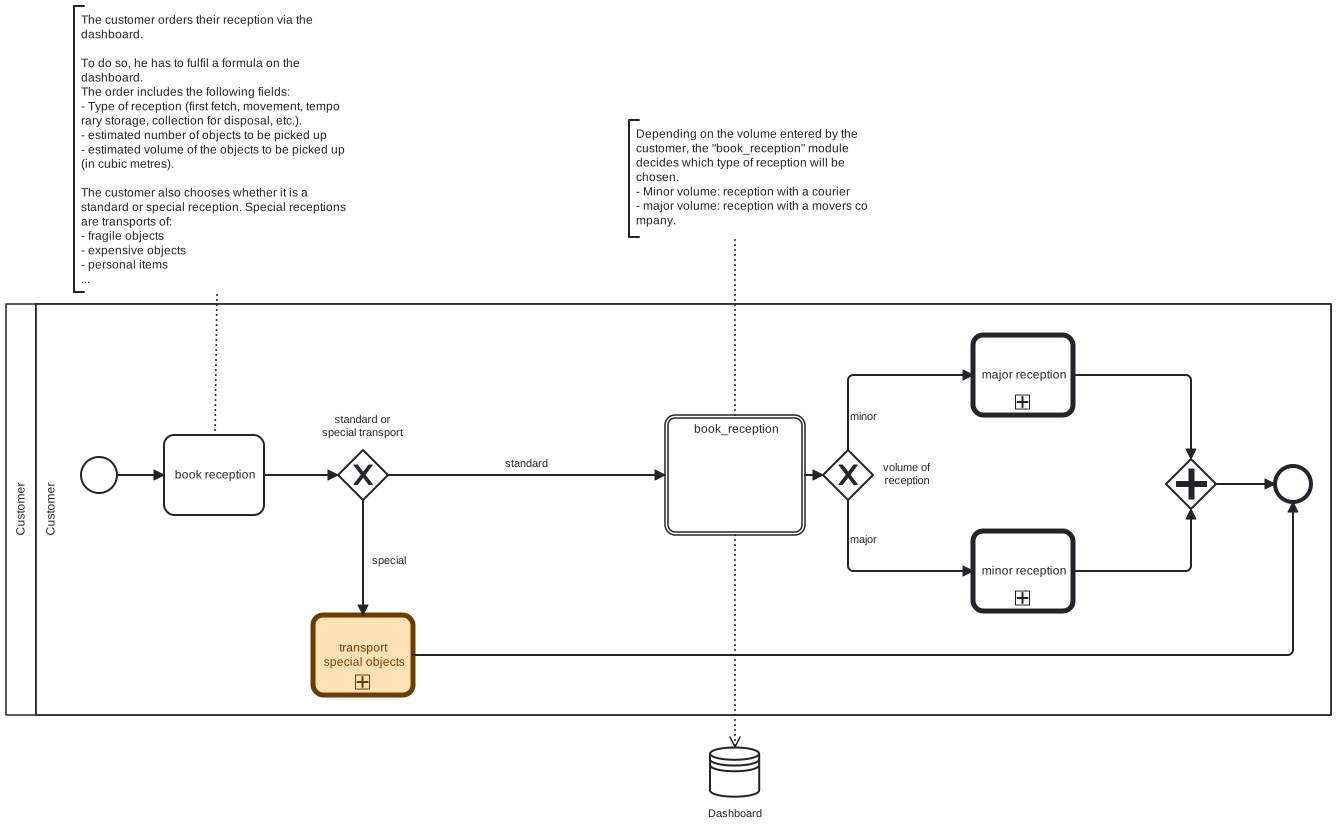
Figure: 1. Fetch Object
1.1 Major Receiption
Customer orders major transport. The movers picks up all objects from the customer. The objects are delivered to the warehouse and all objects are categorized and stored. The customer confirms the delivery.

Figure: 1.1 Major Receiption
1.1.1 Order Major Transport
After customer has booked his reception or delivery, a new Dudel will automatically be created in order to find a date for the shipment.
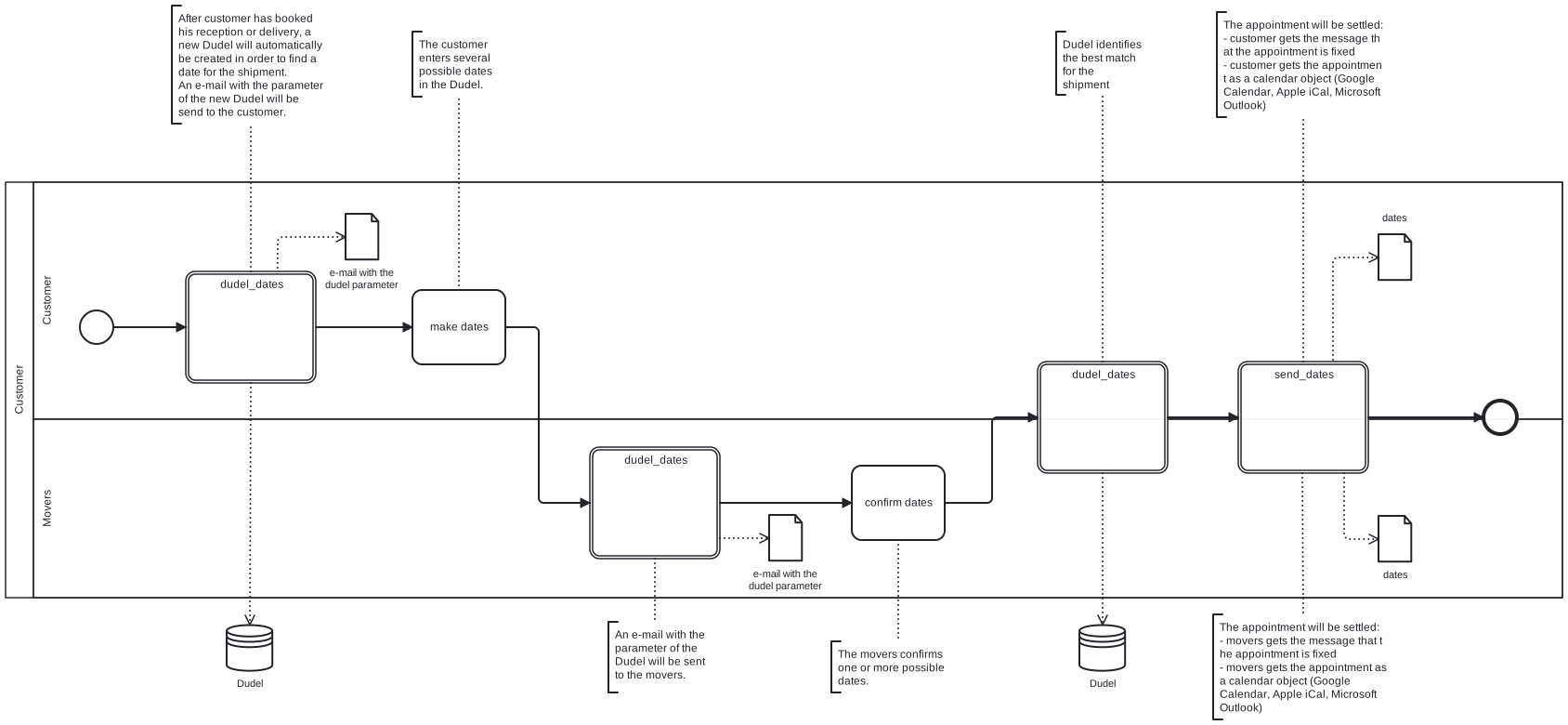
Figure: 1.1.1 Order Major Transport
1.1.2 Fetch Major Reception
The movers picks up all objects from the customer. The customer sign the confirmation formular that all his objects were picked up by the movers.
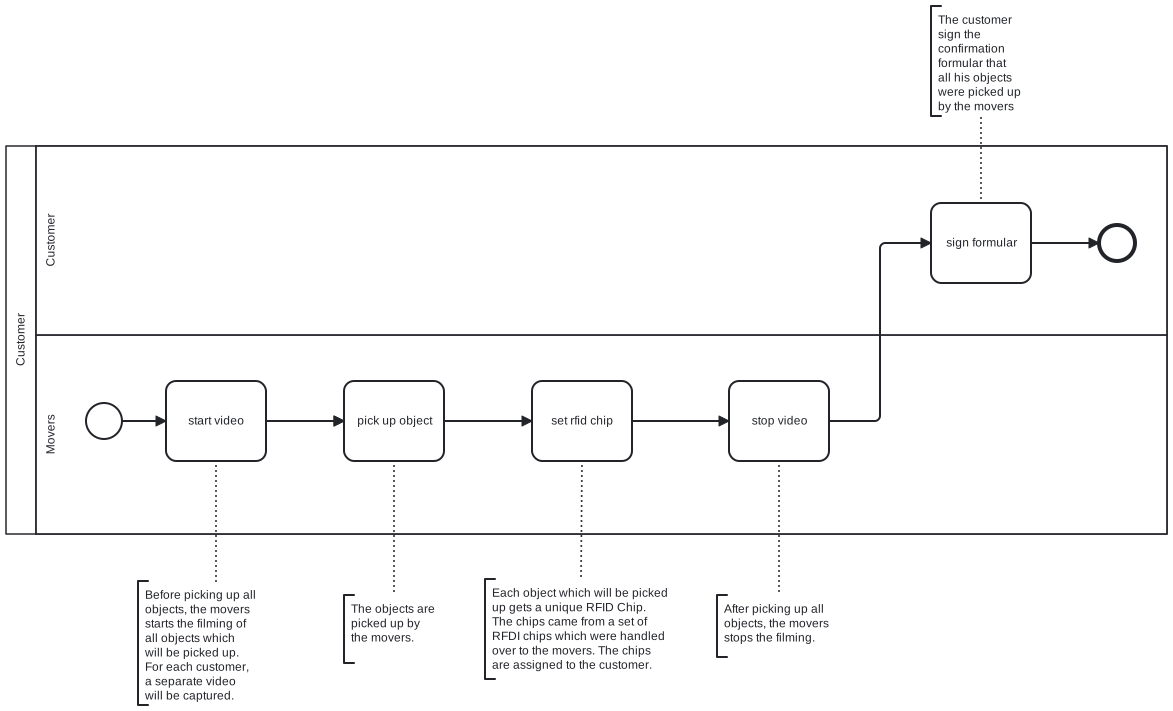
Figure: 1.1.2 Fetch Major Reception
1.1.3 Categorise Object
The objects are categorised in the warehouse.
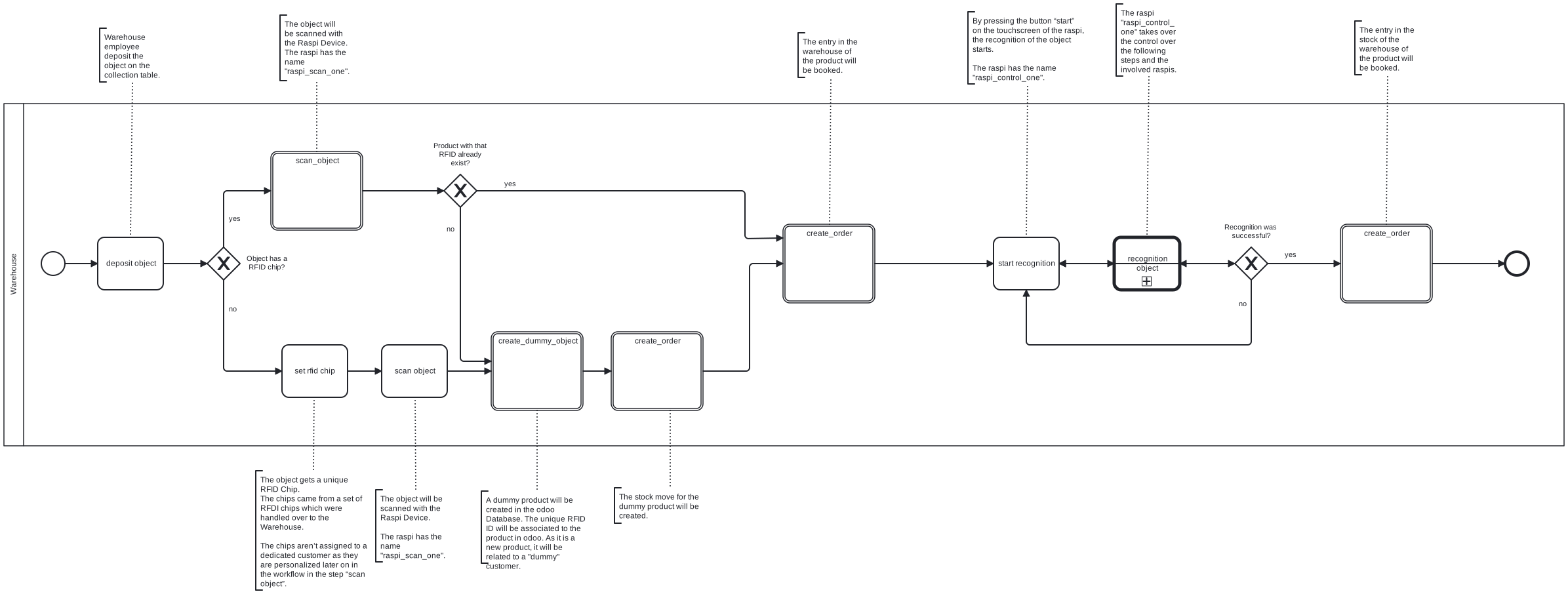
Figure: 1.1.3 Categorise Object
1.1.3.1 Recognition Object
Pictures and other parameter are made of the objects.
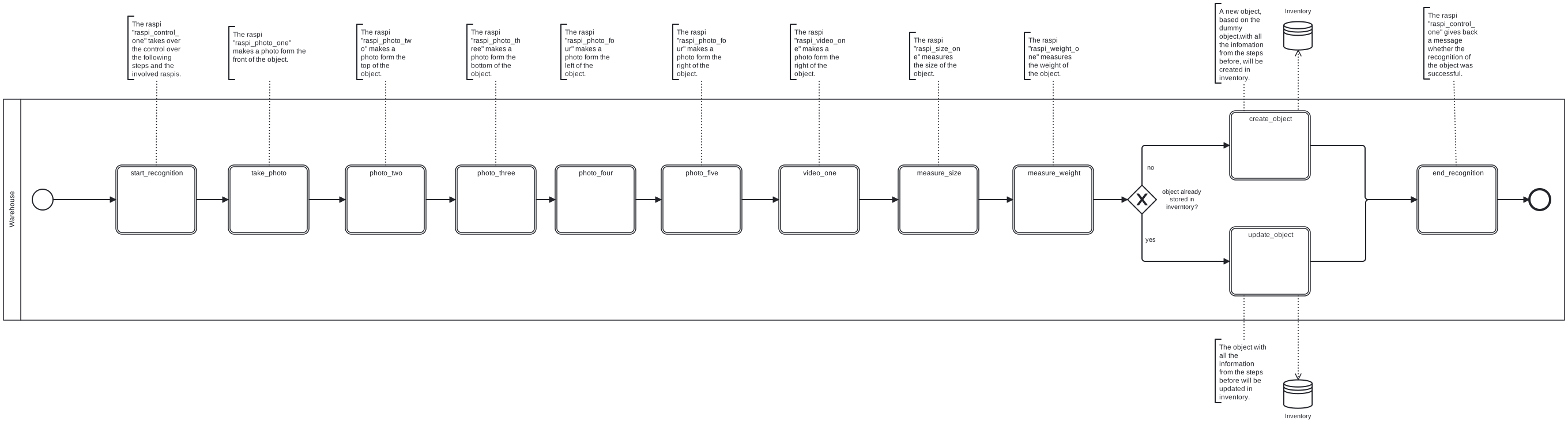
Figure: 1.1.3.1 Recognition Object
1.2 Minor Receiption
Customer orders minor transport. The courier picks up all objects from the customer. The objects are delivered to the warehouse and all objects are categorized and stored. The customer confirms the delivery.
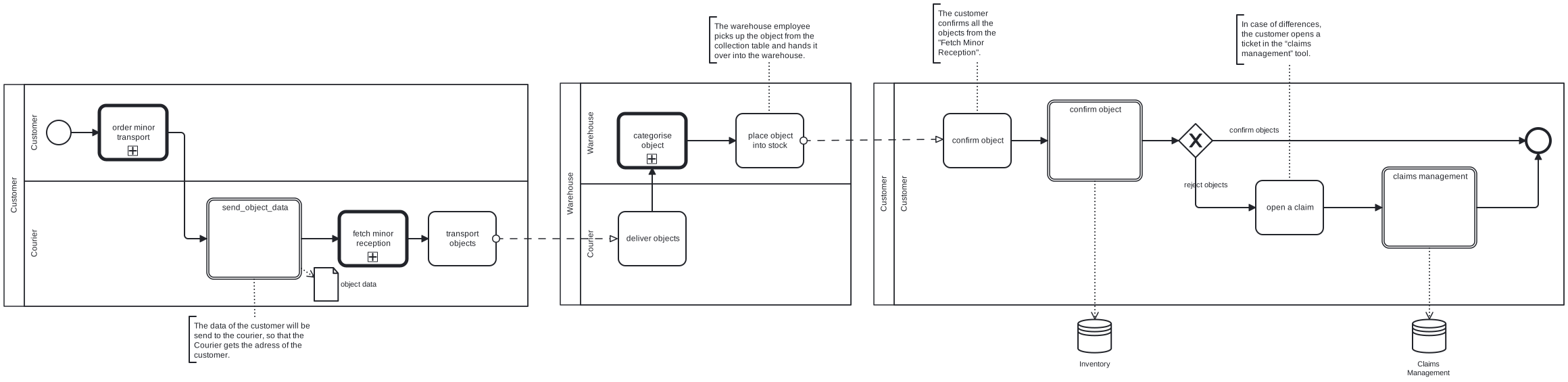
Figure: 1.2 Minor Receiption
1.2.1 Order Minor Transport
After customer has booked his reception or delivery, an appointment will be settled.
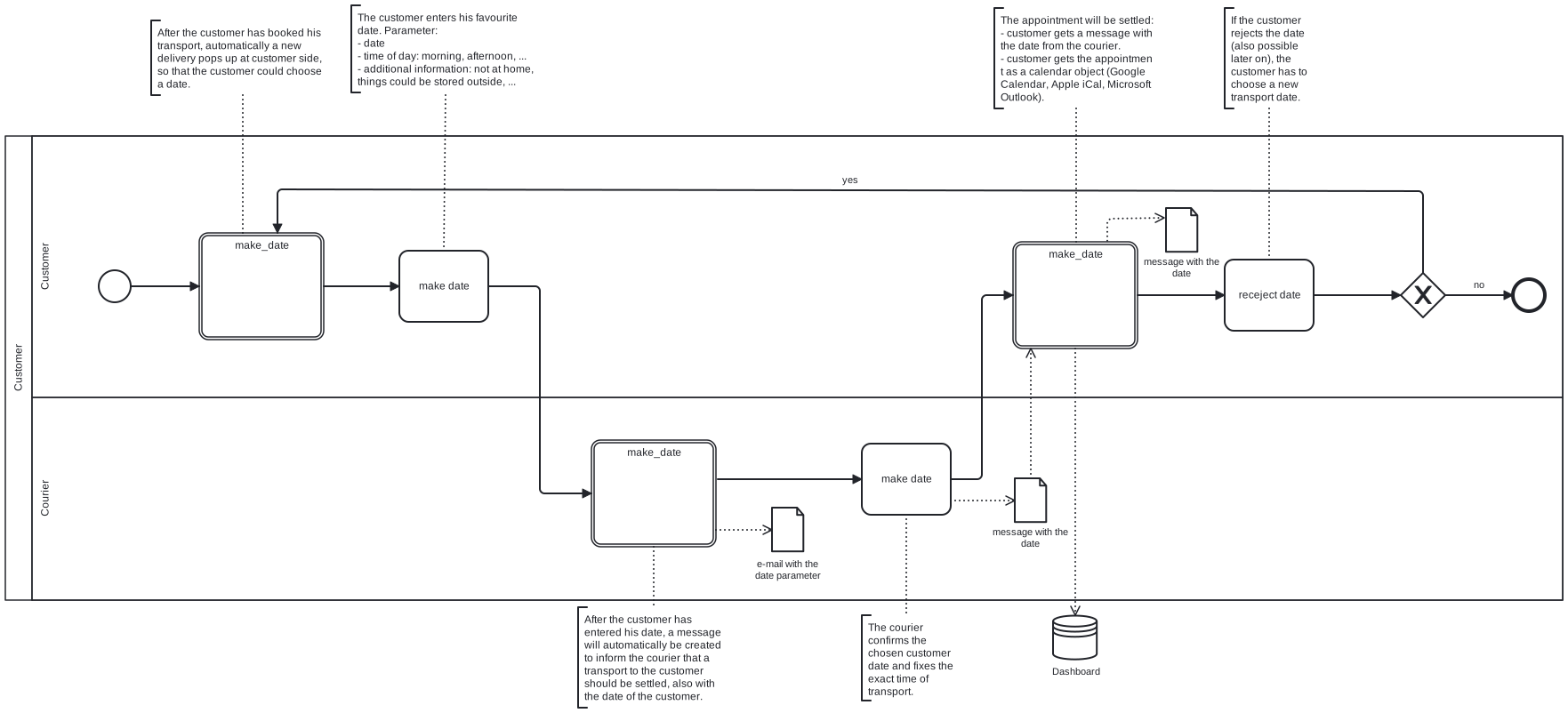
Figure: 1.2.1 Order Minor Transport
1.2.2 Fetch Minor Reception
The courier picks up all objects from the customer and brings them to the warehouse.
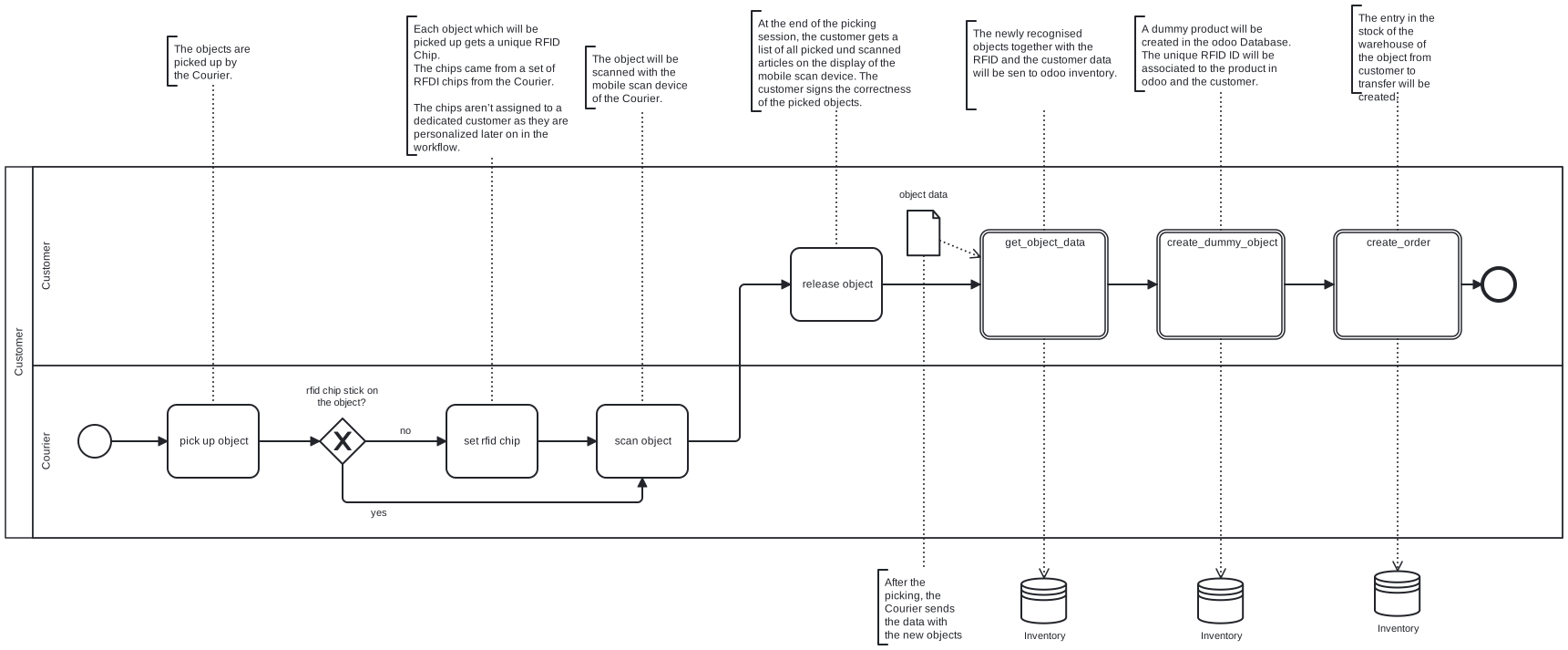
Figure: 1.2.2 Fetch Minor Reception
1.2.3 Categorise Object
See Figure: 1.1.3 Categorise Object
1.2.3.1 Recognition Object
See Figure: 1.1.3.1 Recognition Object
2. Deliver Object
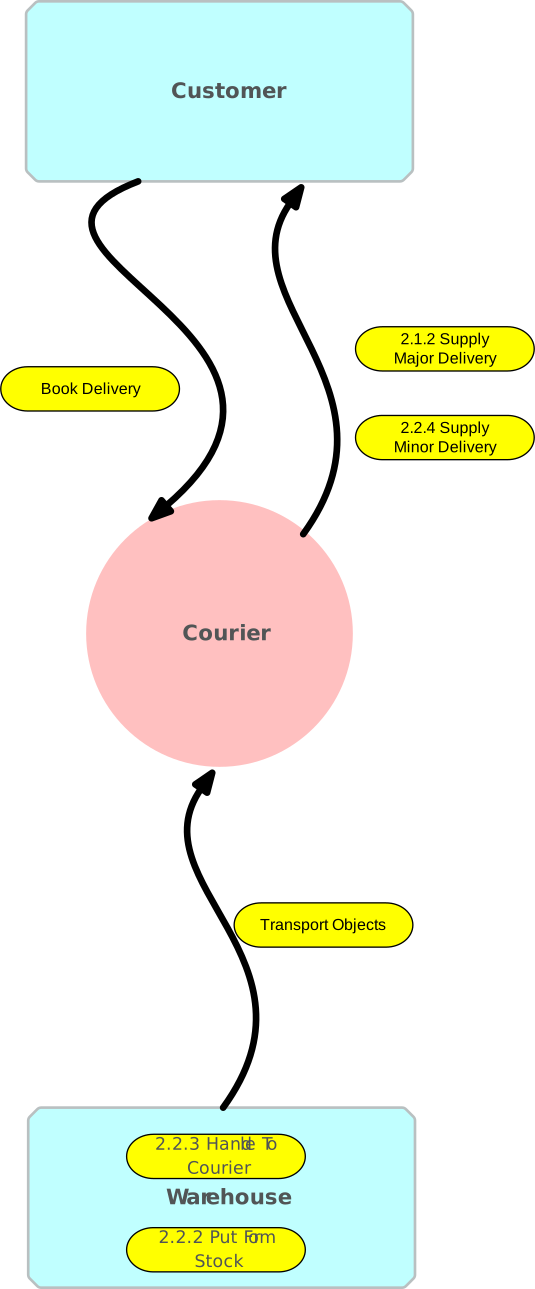
Customer orders his delivery. Depending on the volume and weight of the objects to be picked up, it is either a major delivery or a minor delivery.
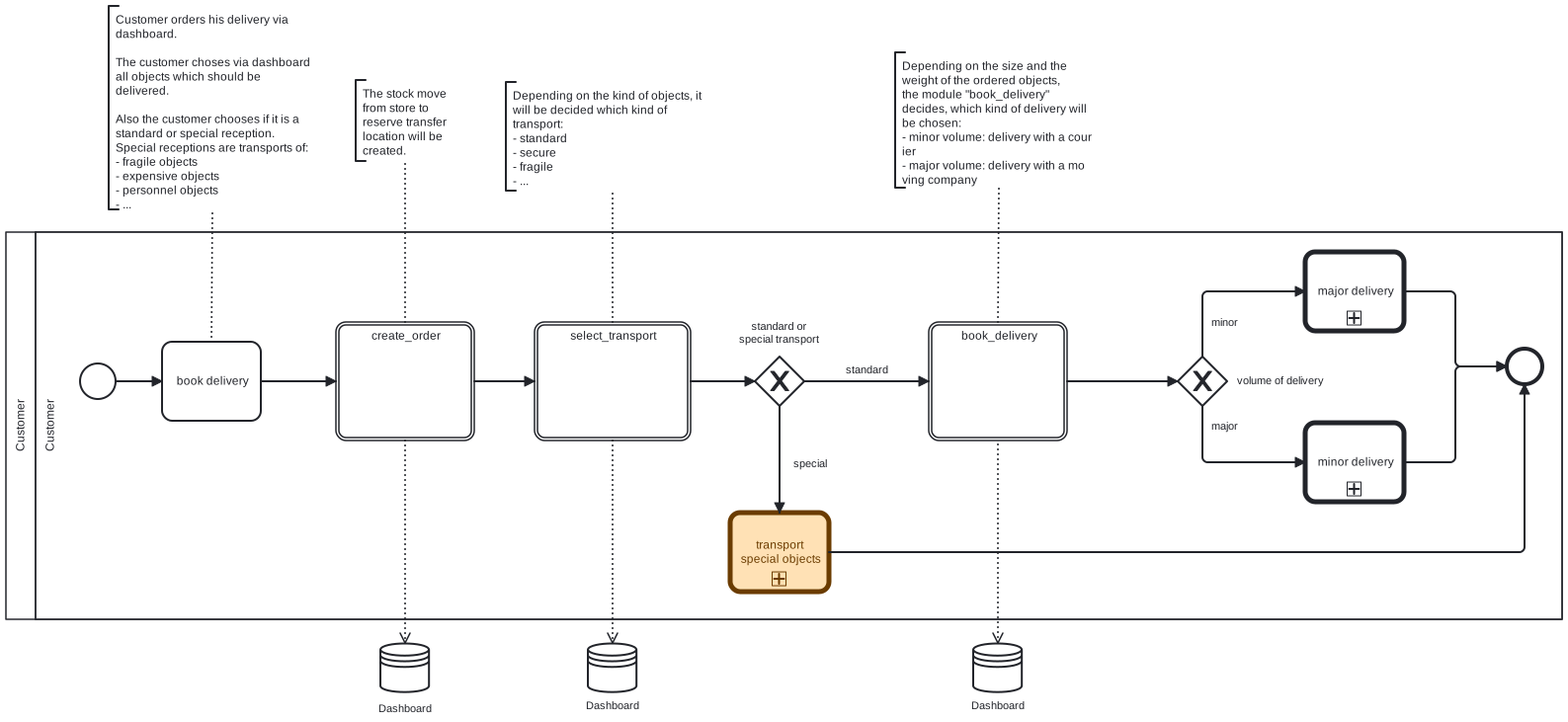
Figure: 2. Deliver Object
2.1 Major Delivery
Customer orders major delivery. The movers picks up all objects from the warehouse. The objects are delivered to the customer.

Figure: 2.1 Major Delivery
2.1.1 Order Major Transport
See Figure: 1.1.1 Order Major Transport
2.1.2 Supply Major Delivery
Before handed over all objects, the movers starts the filming of all objects which will be handed over. The customer sign the confirmation formular that all his objects were handed over by the movers.
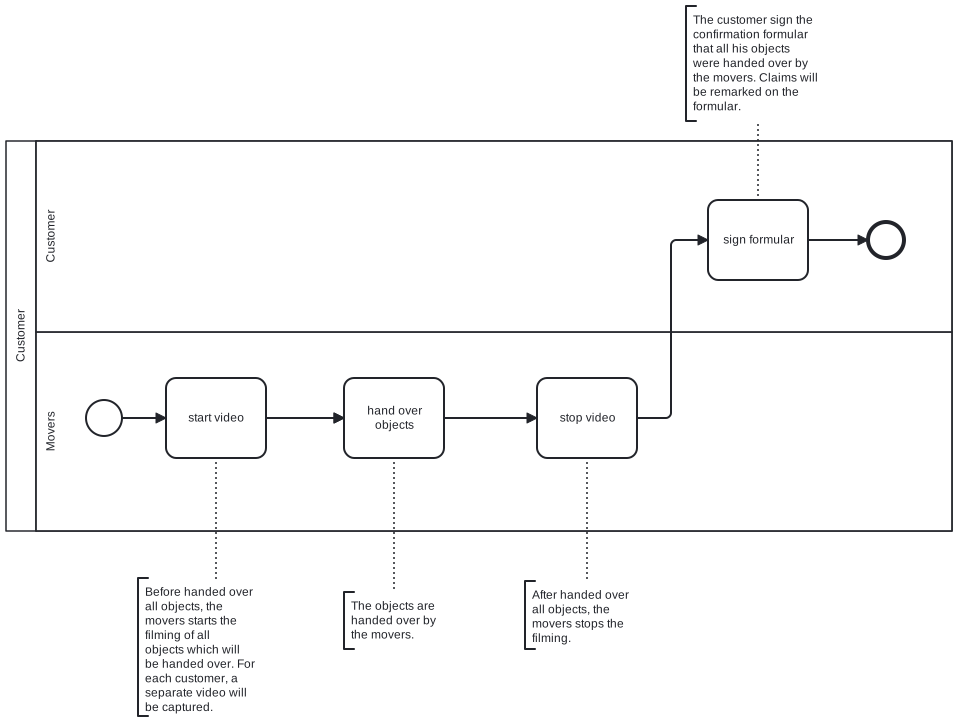
Figure: 2.1.2 Supply Major Delivery
2.2 Minor Delivery
Customer orders minor transport. The courier picks up all objects from the warehouse. The objects are delivered to the customer. The customer confirms the delivery.
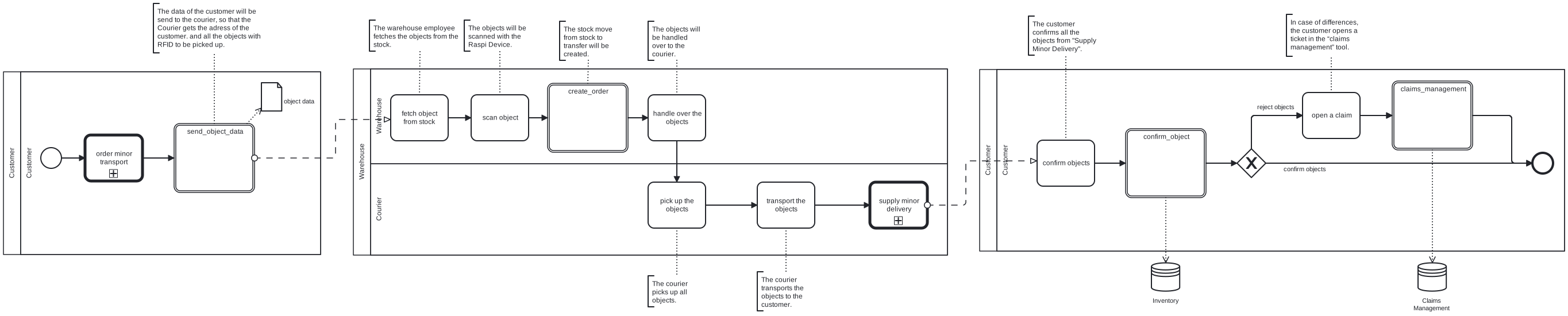
Figure: 2.2 Minor Delivery
2.2.1 Order Minor Transport
See Figure: 1.2.1 Order Minor Transport
2.2.2 Supply Minor Delivery
At the end of the picking session, the customer gets a list of all picked und scanned articles on the display of the mobile scan device. The customer signs the correctness of the picked objects.
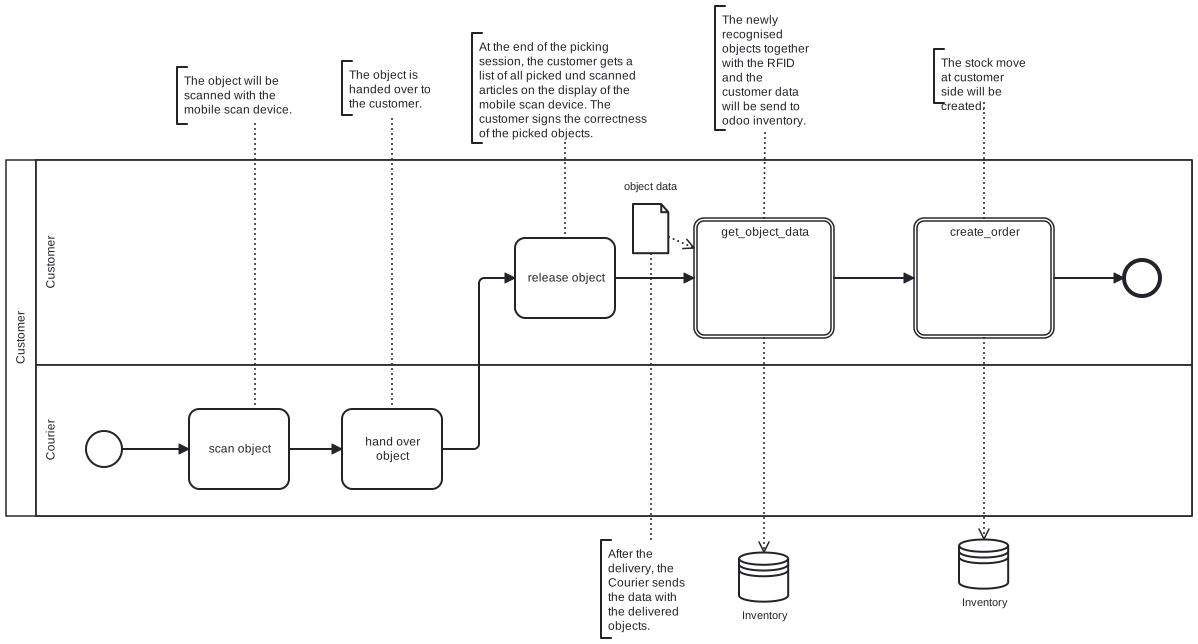
Figure: 2.2.2 Supply Minor Delivery
3. Dispose Object
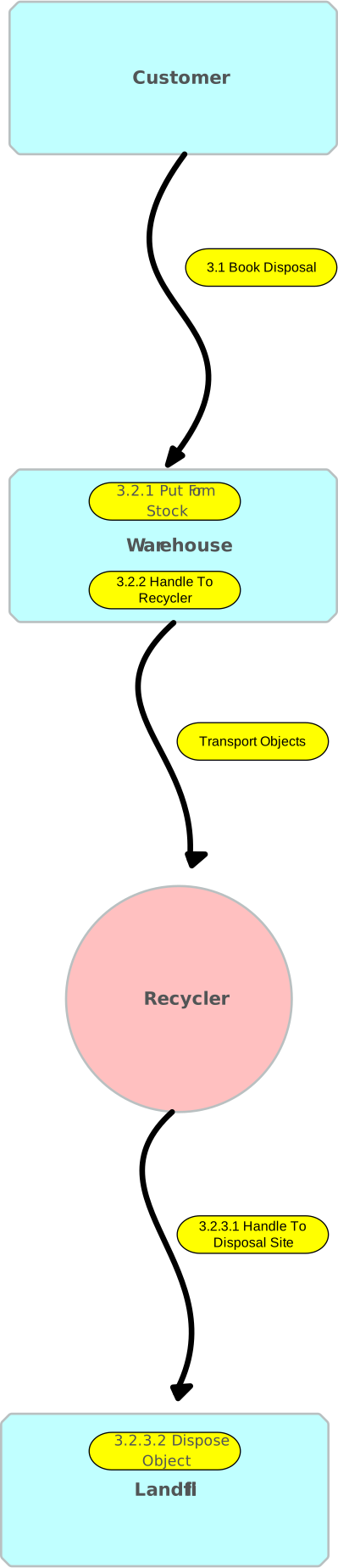
Customer orders the disposal of objects via dashboard. If size, volume and time of the objects in the “reserve disposal” location is greater than a fixed limit, the disposal of all the objects will be organised.
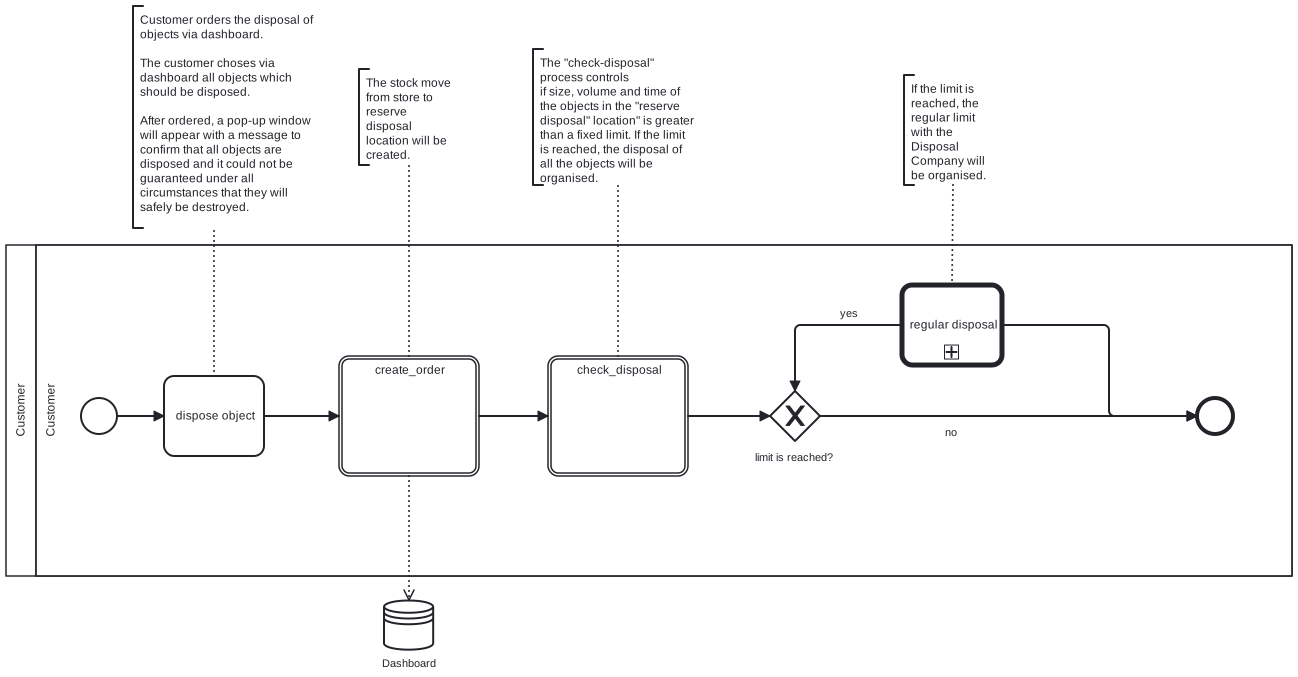
Figure: 3. Dispose Object
3.1 Regular Disposal
The recycler picks up all objects and transports the objects to the landfill.
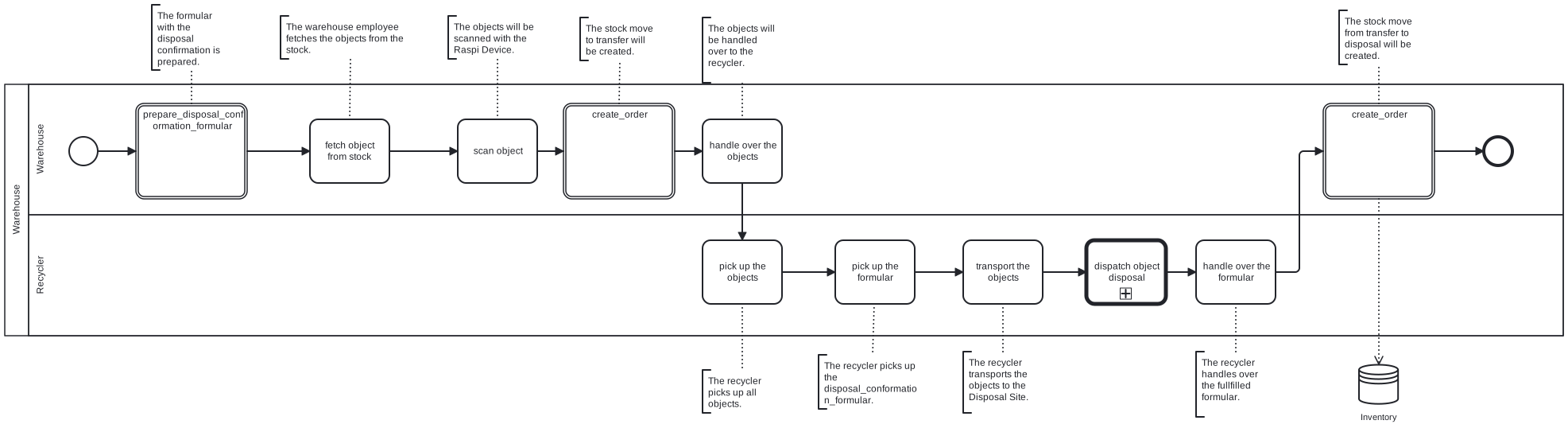
Figure: 3.1 Regular Disposal
3.1.1 Dispatch Object Disposal
The objects are disposed at the landfill. The recycler sign the formular that all objects are handled over for the disposal.
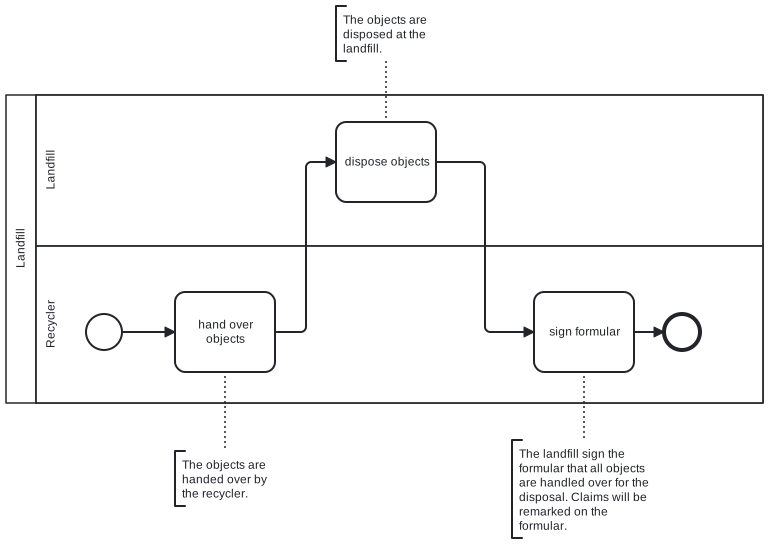
Figure: 3.1.1 Dispatch Object Disposal
4. Sell Object

Customer selects the items to be sold. The auction order is then sent to the auctioneer. If the auction is successful, the objects will be sent to the buyer.
5. Share Object

Customer selects the item to be shared. Lender selects the item. The item is moved to the lender. Once the loan period is over, the item is returned to the warehouse.
6. Donate Object
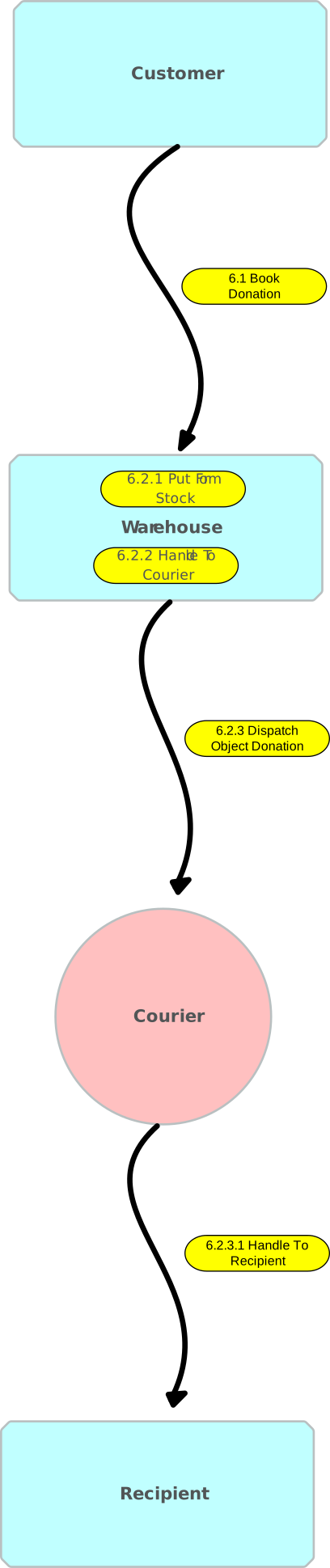
Customer selects the item they wish to donate. The item is moved from the warehouse to the recipient.
7. Manage Inventory
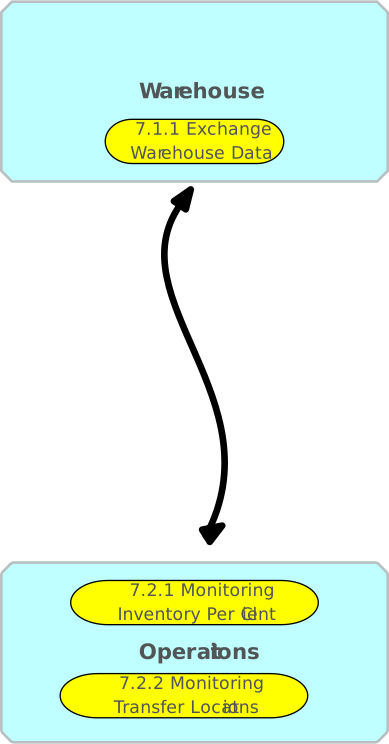
Management of objects in warehouse facilities.
8. Invoice Customer
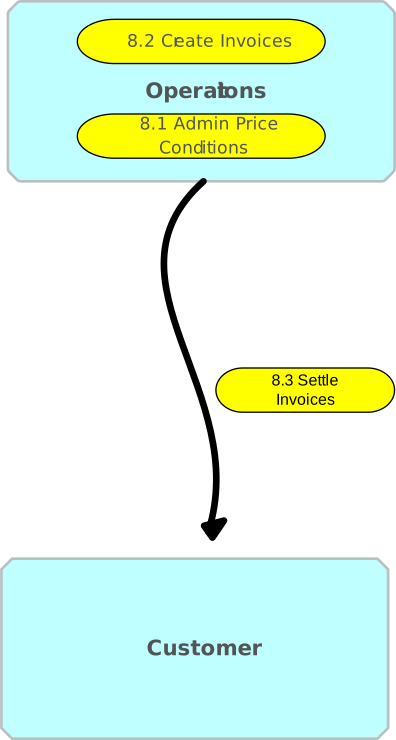
Management of customer invoicing.
9. Manage Finance
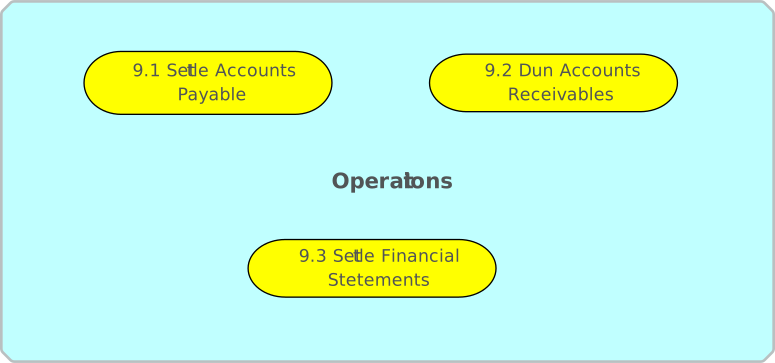
Oversees budgeting, spending, forecasting, and financial reporting.
10. Manage Customer
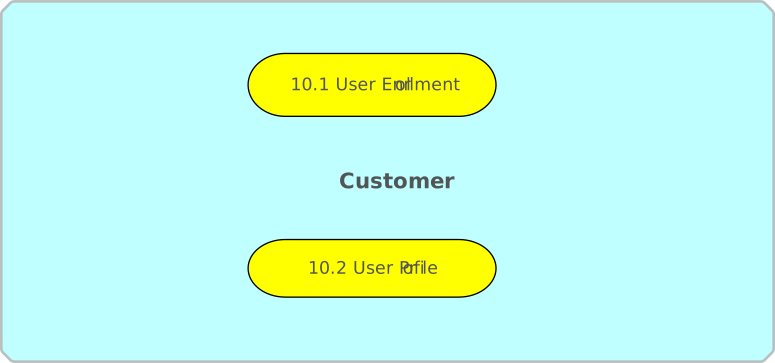
Customer managing their own accounts.
11. Manage Helpdesk
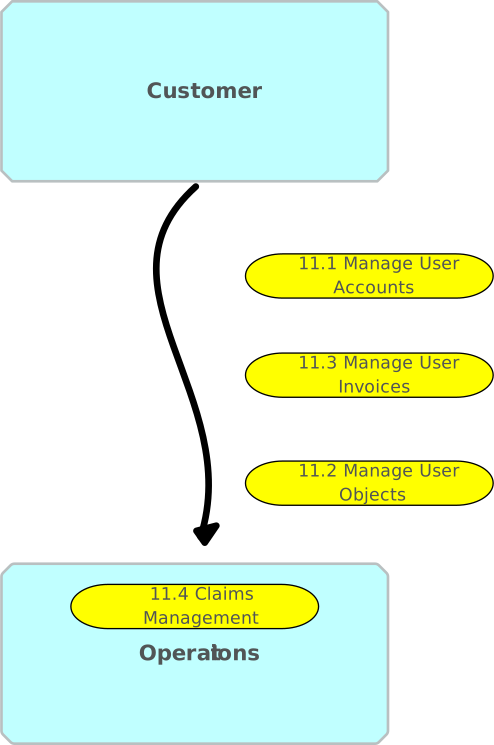
Handling of customer accounts, objects, invoices, and claims.