Accounting
See the odoo Accounting Documentation for additional information.
Account Invoice Workflow
Enclosed is the workflow for sales and purchases in odoo:
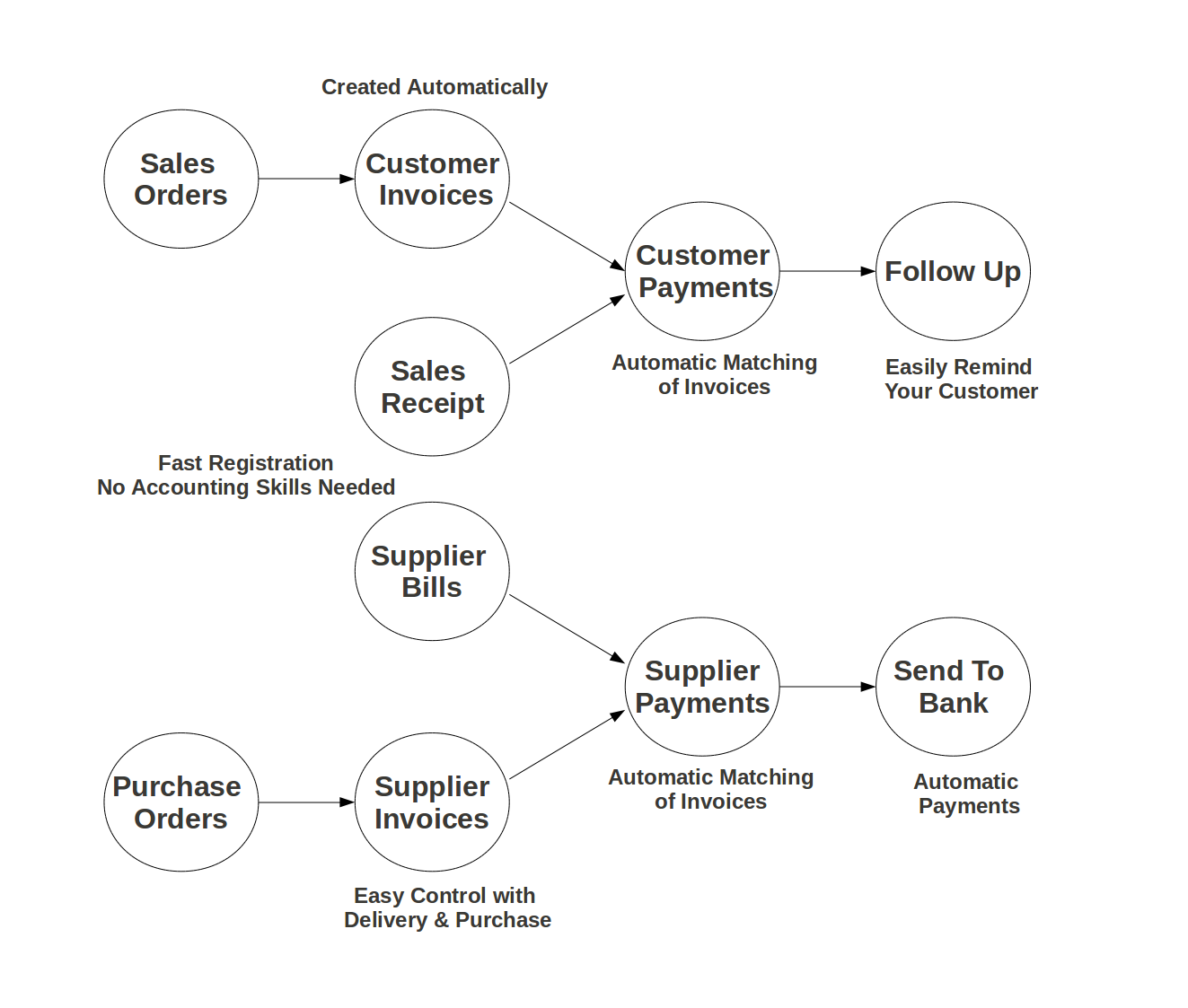
Chart of Accounts - outdated
The chart of accounts is based on the “Sterchi” chart of accounts (see Kontenrahmen KMU Vorlage). This template and more information can be found in the folder Chart of Accounts. The Sterchi chart of accounts is a standard for Swiss small and medium sized companies, see also Schweizer Schulkontenrahmen KMU.
Odoo tables with the charts of accounts:
Charts of accounts: „account_account“
Template charts of accounts: „account_template“
Taxes: „account_tax“
Template taxes: „account_tax_template“
Import sheet for the chart of accounts: Import Sheet.
Customer - Chart of Accounts
The customer must be given the following accounts in the “Accounting Entries” settings:
Account Receivable: 1100 Forderungen aus Lieferungen und Leistungen (Debitoren)
Account Payable: 2000 Verbindlichkeiten aus Lieferungen und Leistungen (Kreditoren)
The python function odoo_xmlrpc_twisted.functions.create_user() creates the customers (= users) in the odoo system.
Odoo Database Tables - outdated
A business document is a historical representation of a transaction. The general ledger is the central repository (based on double entry bookkeeping) recording those transactions so the impact on the business can be measured. For every accounting document there is a corresponding entry in the general ledger.
Documents:
account.invoice - stores invoices and refund invoices (credit notes) for customers and suppliers
account.invoice.line - stores the lines from an invoice
account.voucher - stores payments
account.voucher.line - stores the lines from a payment
Entries:
account.move - stores journal entries
account.move.line - stores the lines from a journal entry (journal items)